The Smart Way to Reuse Events without Starting From Scratch
Stop recreating the same events again and again. Clone them in seconds from another family and stay organized effortlessly.
Why repeating events is frustrating
Families often find themselves recreating the same events, school schedules, recurring sports practices, or complex party to-dos, over and over. It’s not just a time sink. It also creates room for manual errors and forgotten details that lead to household chaos.
Clone events in seconds
At FamilyFeed, we believe coordination should be as simple as a tap. That’s why we built the Clone Event feature. Instead of starting from a blank page, you can grab an existing plan and make it yours instantly. No typing required.
How it works
Three simple steps to save hours of planning.
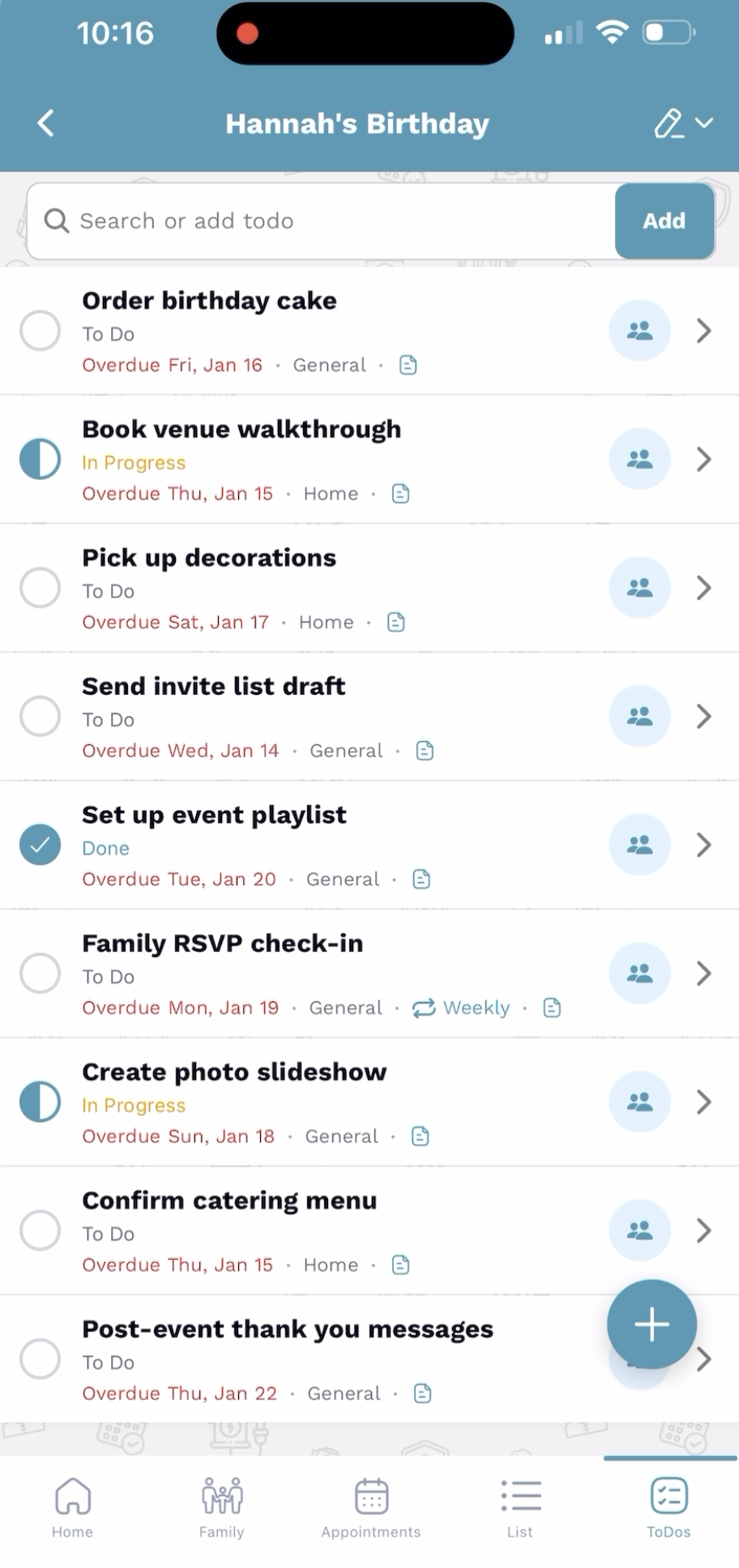
Open your event
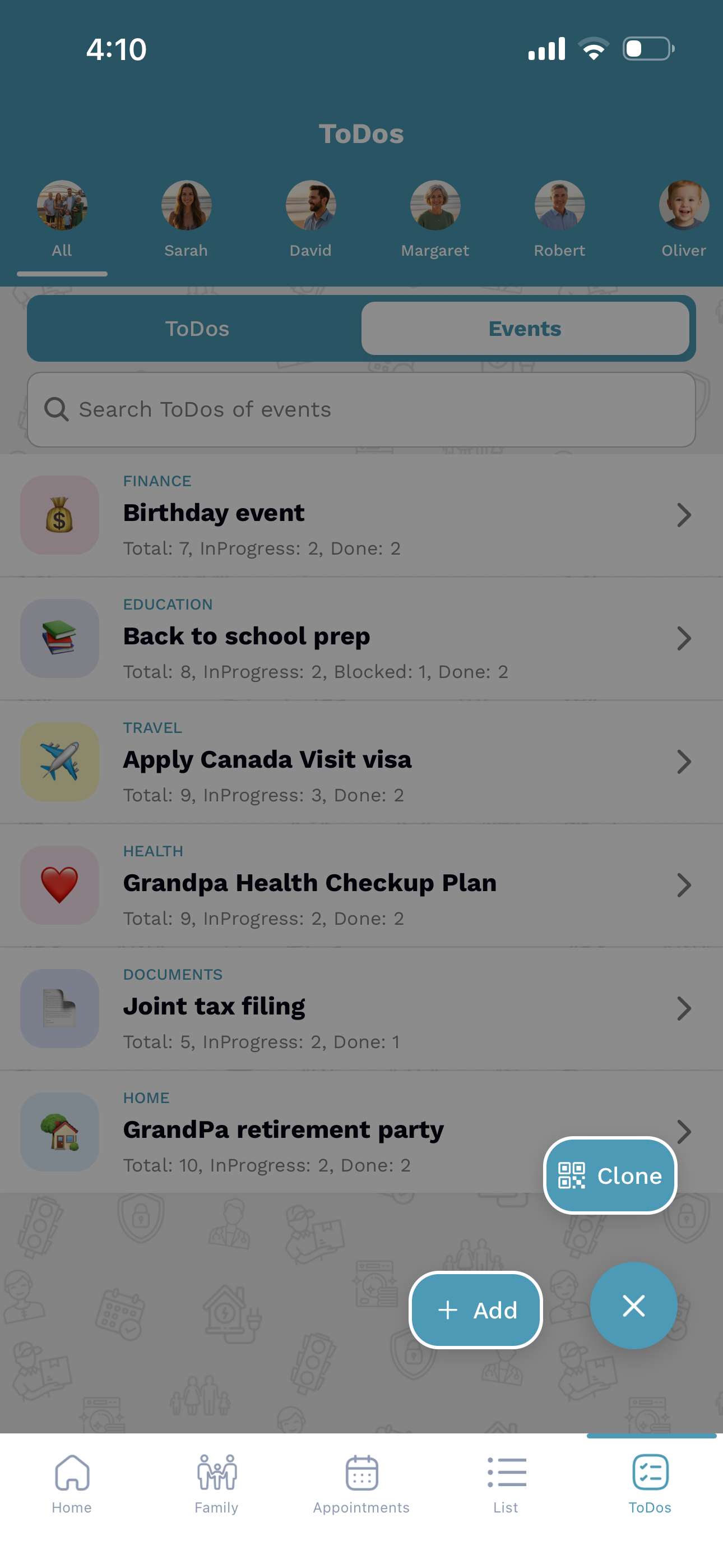
Navigate to any event list you want to share or replicate. The clean interface makes finding your hub fast.
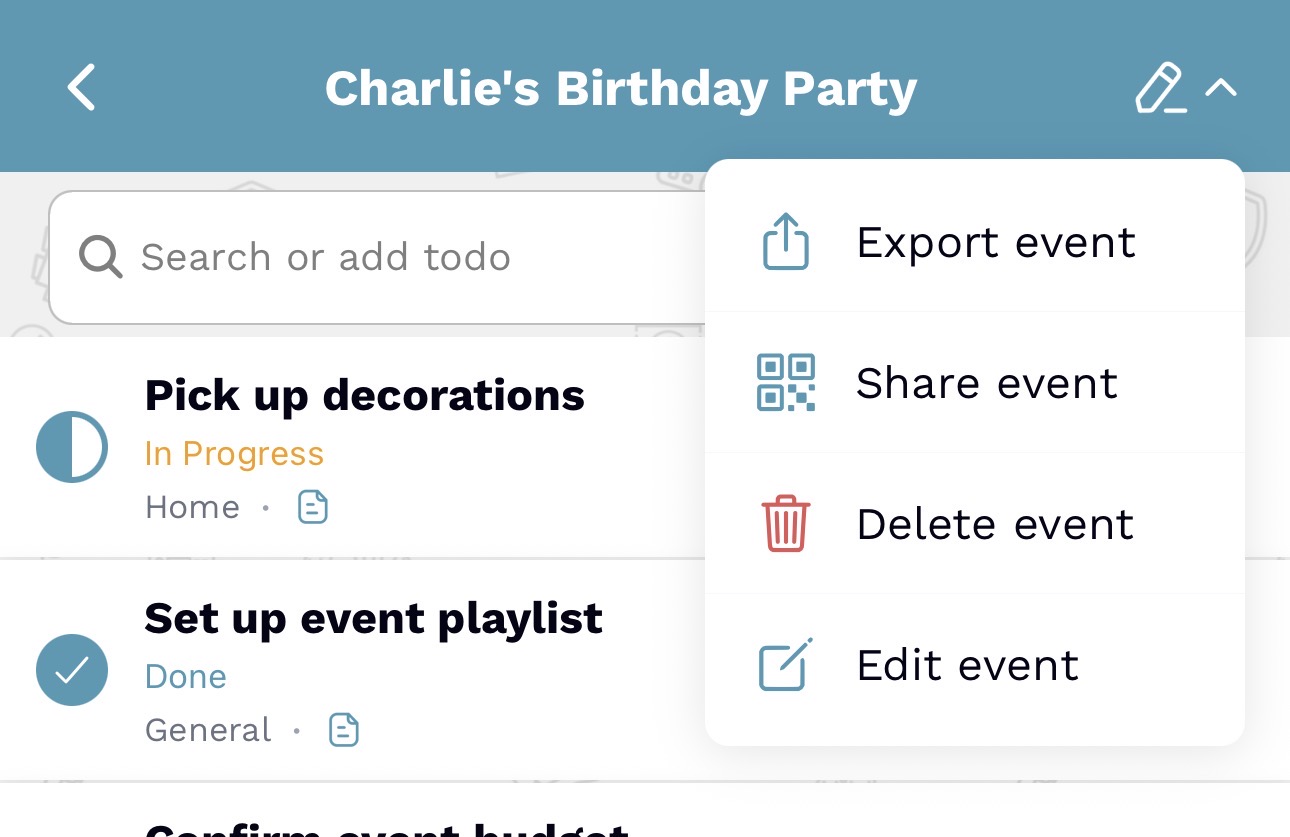
Tap Share or Clone
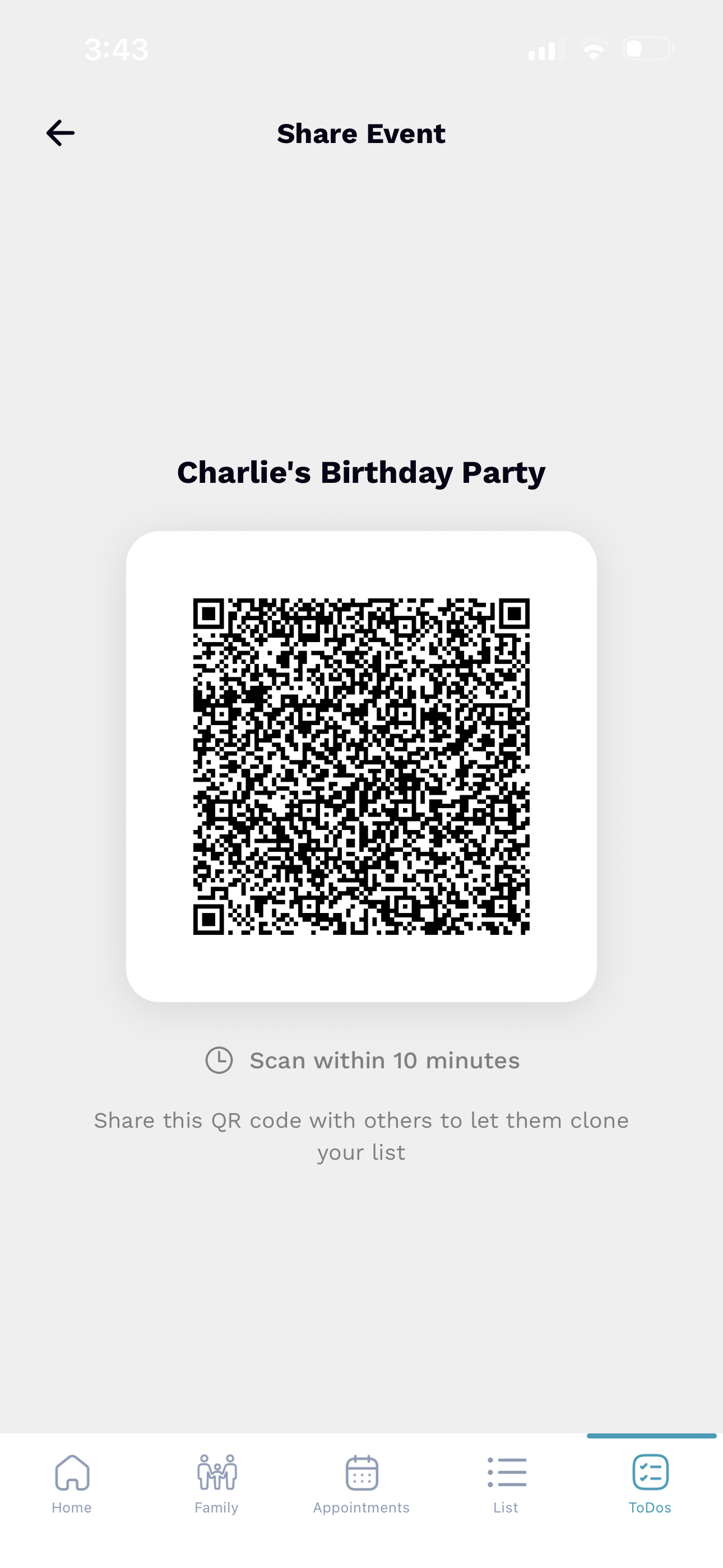
Tap the menu icon in the top right to reveal your options. Choose Share event to generate a secure link or QR code.
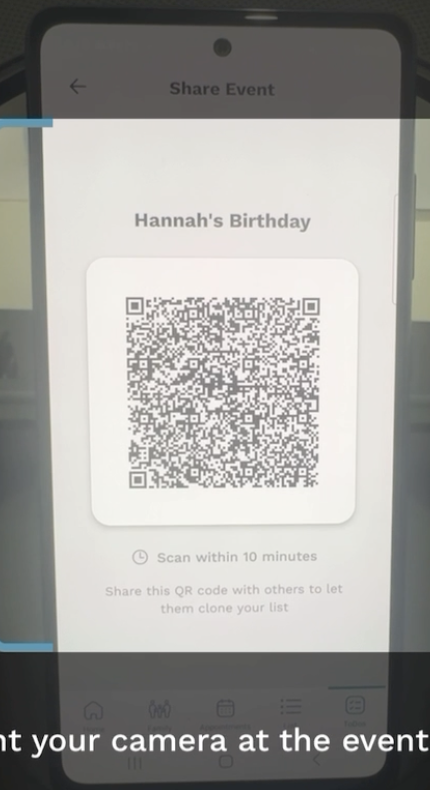
Customize and Save
Others can scan the QR code to instantly clone your entire list. They can then tweak names, dates, or members to fit their own circle.
Save time, avoid mistakes
-
Zero Manual Data Entry
Import 20 or more tasks and appointments in under a second.
-
Consistent Routines
Ensure every family member is following the same blueprint for success.
-
Reduces Manual Effort
Fewer typos means fewer missed practices and more high-fives.
Perfect for everyday family life
Sports Practice
Clone weekly training drills and equipment lists.
School Routines
Duplicate packing lists for camp or school supply lists.
Appointments
Sync recurring checkups for the whole household.
Try it in FamilyFeed today
Try FamilyFeed and start reusing family events without rebuilding the same plan again.