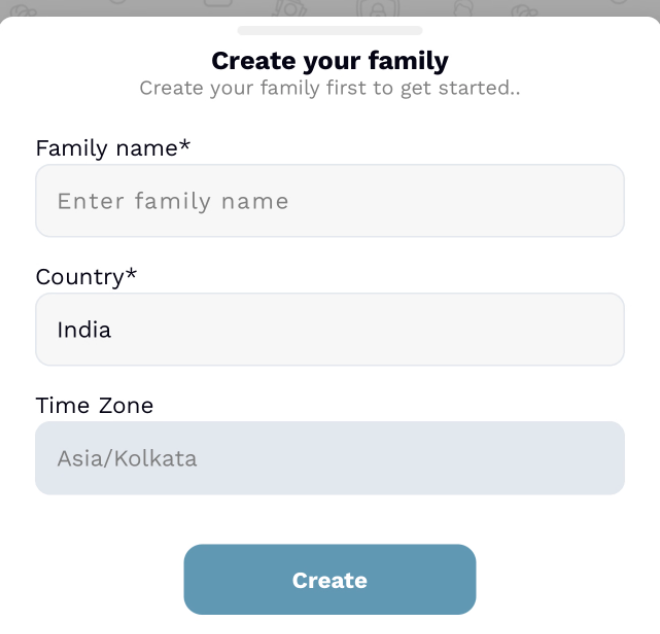
Create your family in a few taps.
Start with minimal information or simply add yourself to an existing family.
- Pick a Family Name
- Launch your Hub
 The Family Operating System
Redefining Onboarding
Getting your household online takes seconds, not hours.
Start with minimal information or simply add yourself to an existing family.
Coordination
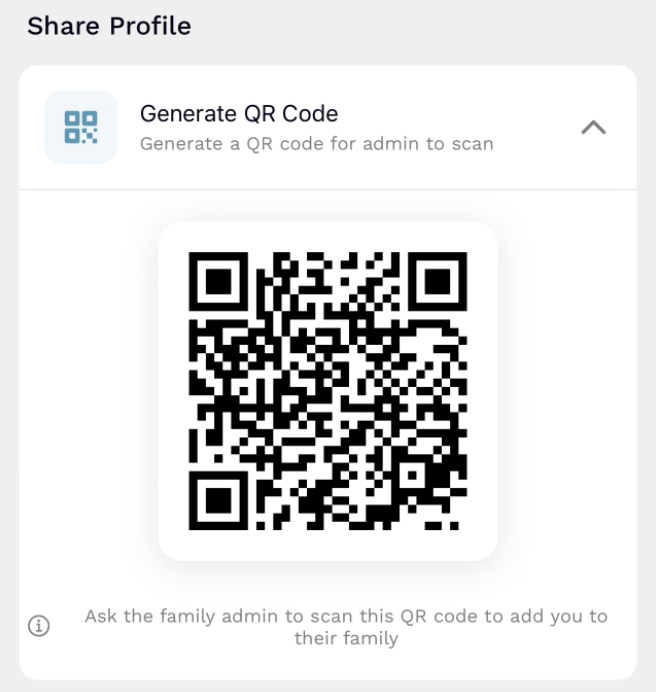 Member Phone
Option A: Instant Sync
Zero-friction setup
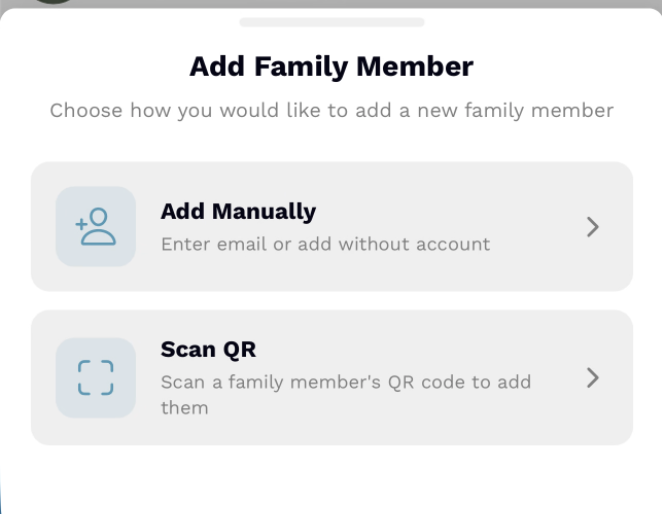 Admin Phone
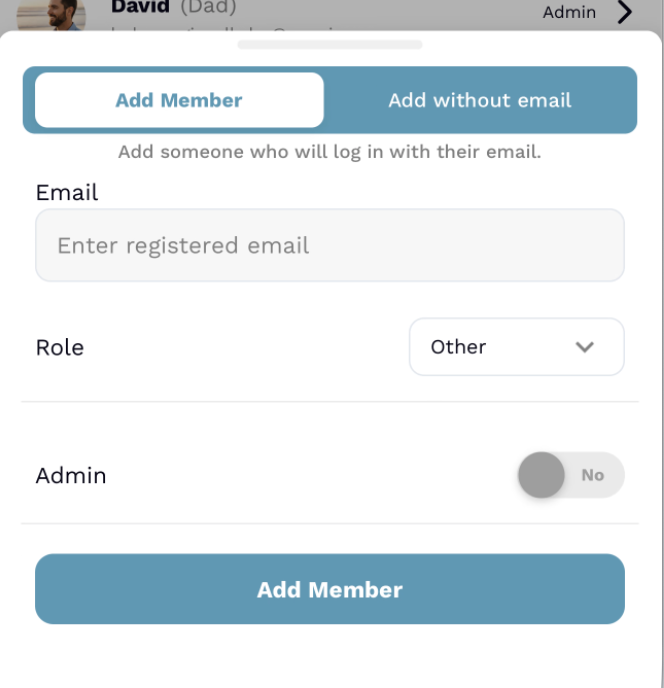
Option B: Manual Add
Admins can manually enter a family member's registered email to add them directly. Once added, they're synced with your lists and calendars.
Classic secure addition
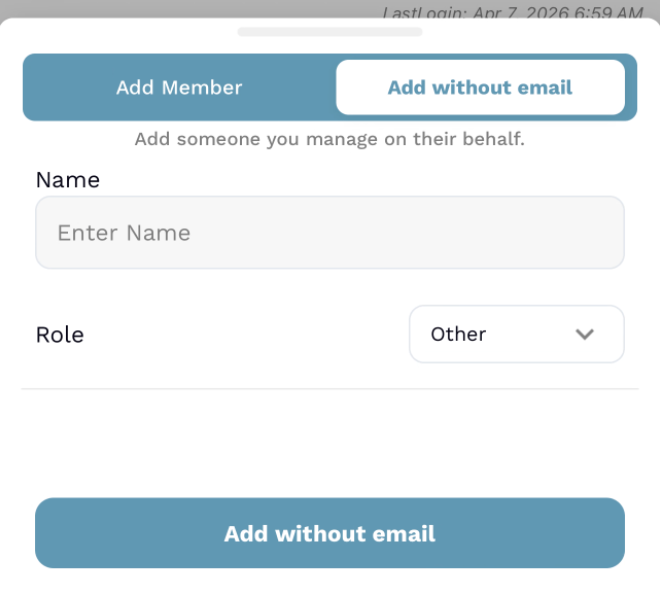
Universal Access
Add kids, pets, or caregivers who you manage on their behalf. They get their own avatar and space in your plans without needing an account.
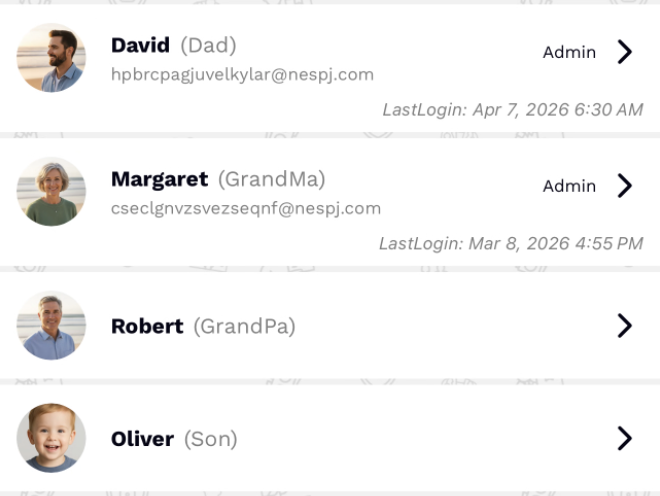
Transparency
See who is active in the hub with last-login timestamps, roles, and status indicators. No more wondering who saw the latest update.
End the "did you see it?" guessing game
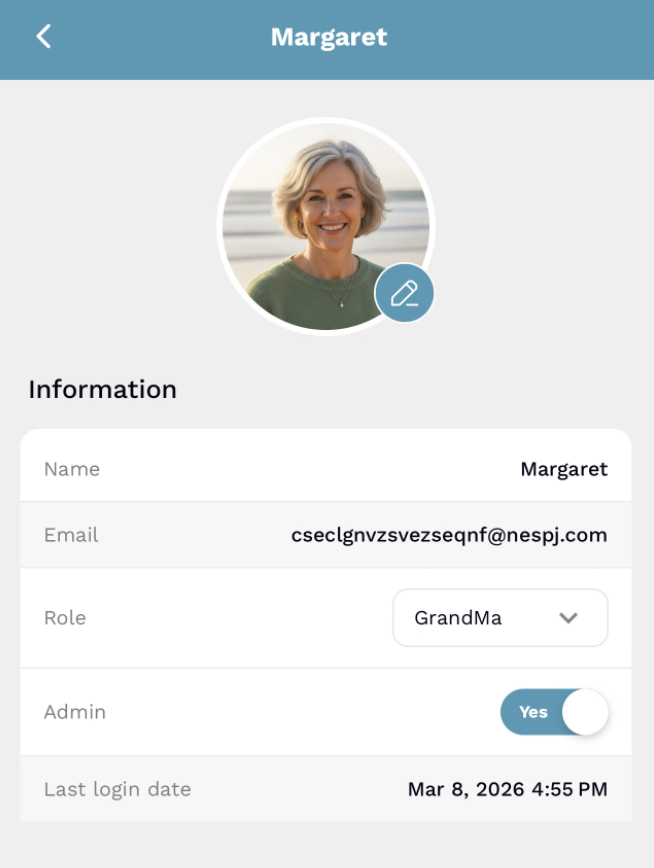 Adult/Admin View
Role-based visibility
Adults get full administrative controls, while child profiles stay simple and focused on coordination.
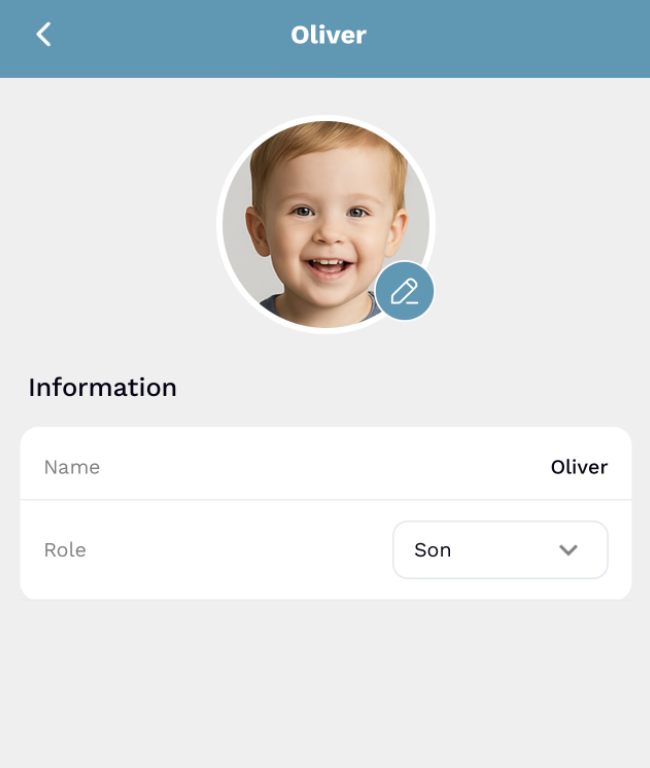 Child View
You can add up to 10 members today. Keep adults, kids, pets, and helpers together without overloading the space.
Not at all. Use the “Add child” option to create quick profiles for little ones or pets so they show up in plans without needing a login.
Keep names, roles, contact details, and even a profile photo in one place. You can also see their last login to know who is current.
Promote any registered adult to co-admin when you need backup. Admins can edit family details, invite new members, and remove access with a tap.
Yes. Any admin can open the family settings to update the name, address, or country and the changes appear instantly for every member.
Use the Add child option to create a quick profile for kids, pets, or helpers who do not have an account—they will show up in plans without needing to sign in.
When you add a registered adult, FamilyFeed sends an automatic notification asking them to log back in so they see the new family hub right away.
You can promote any registered adult to co-admin. Children or pet profiles stay view-only, and you will need to switch an admin back to member before removing them.
From the Family tab, choose the change cover option to upload a new image. The fresh photo appears across the hub as soon as it is saved.
Admins can delete the family, which removes shared lists, appointments, and member access. You can always start a new hub later with the same members.


