A Smarter Way to Shop: Meet Checkout View
Shopping lists haven’t changed in years. Checkout View reimagines how families shop, making it faster, visual, and effortless.
Shopping lists haven’t changed much in years. You add items, check them off, and repeat the process every time you shop. It works, but it’s not designed for how people actually shop in real life.
That’s why we built Checkout View in FamilyFeed. A new way to turn your list into a live shopping experience.
See It in Action
Watch how items move from Required to In Stock with a simple tap, providing instant feedback and a clean list.
Why We Designed Checkout View
Most apps assume you plan first, then shop. But real shopping is different:
-
You move through aisles -
You change decisions -
You remember things midway -
You need to know what’s left instantly
Traditional lists don’t adapt to this. So we asked: "What if your list behaved like a checkout counter instead of a checklist?"
From Checklist to Checkout Flow
We introduced two distinct zones to manage your flow:
Required
Items you still need. This is your active mission list.
In Stock
Items already picked. They move here to clear your view.
As you shop, tap an item to move it. If you change your mind, move it back. This gives a real-time sense of progress.
How It Works
It feels like moving items across a real checkout counter.
Designed for Different Ways of Shopping
"Everyone shops differently. Checkout View adapts to you."
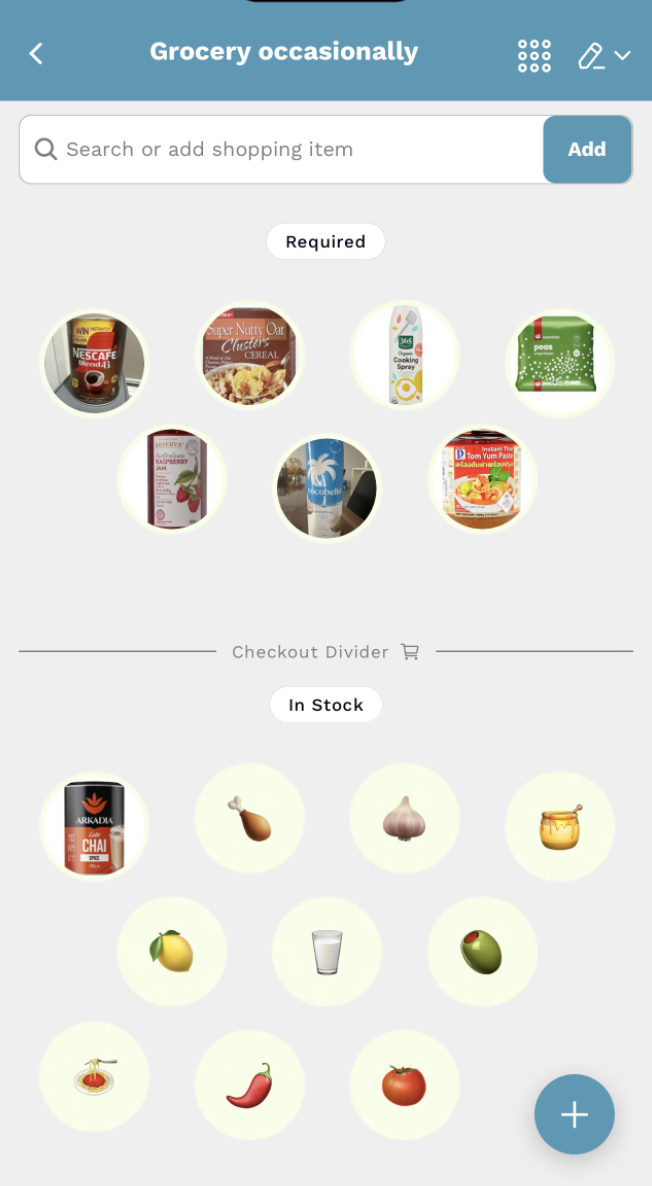
Zoomed-Out View (Fast & Visual)
Best for:
- Quick scanning
- Fast shopping
- Visual recognition
Items appear as icons. You focus on speed over detail. Think: glance → tap → move on.
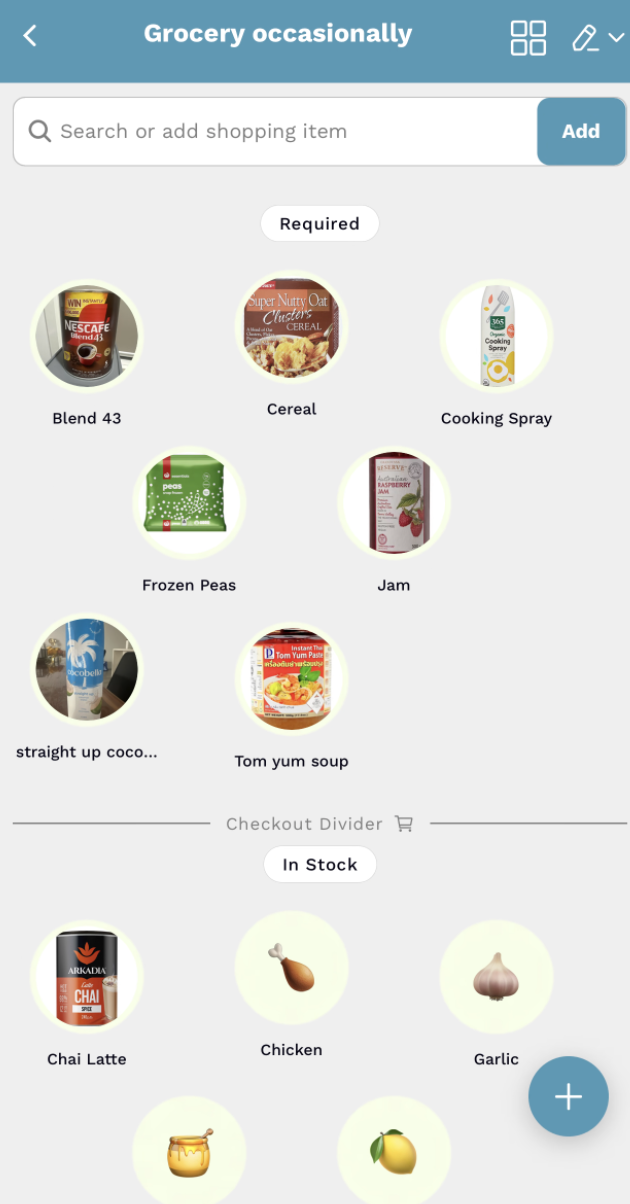
Mid Zoom View (Balanced Control)
Best for:
- Reading item names
- Double-checking
- More control
You see icons + labels. Better clarity without slowing down. Think: scan → confirm → act.
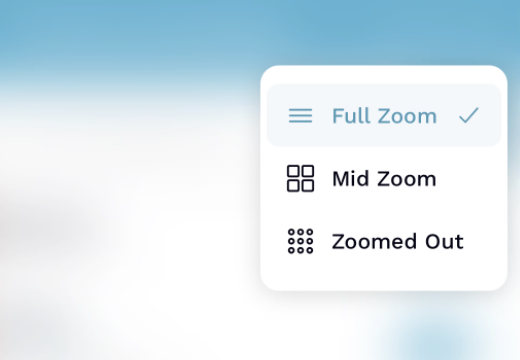
Switch Views Anytime
What Makes This Different
Traditional Apps
- Static checklists
- One interaction style
FamilyFeed
- Dynamic experience
- Visual recognition
- Built for real-world behavior
Final Thoughts
Shopping is not just about remembering items. It’s about moving efficiently, staying aware, and adapting in real time. Checkout View brings that experience into your phone.
"A simple idea, designed for how people actually shop."
Ready to Simplify?
Try FamilyFeed and make your next shopping trip faster and simpler.