How to schedule, modify, and cancel repeat appointments
Set appointments once and let FamilyFeed handle the rest, with full control over edits, exceptions, and cancellations.
Why repeat appointments matter
Some appointments do not happen just once. Whether it is vet visits, doctor checkups, therapy sessions, or insurance renewals, managing recurring schedules manually is a chore.
Instead of creating them again and again, FamilyFeed allows you to set them once and let them repeat automatically, ensuring nothing falls through the cracks.
How to create a repeat appointment
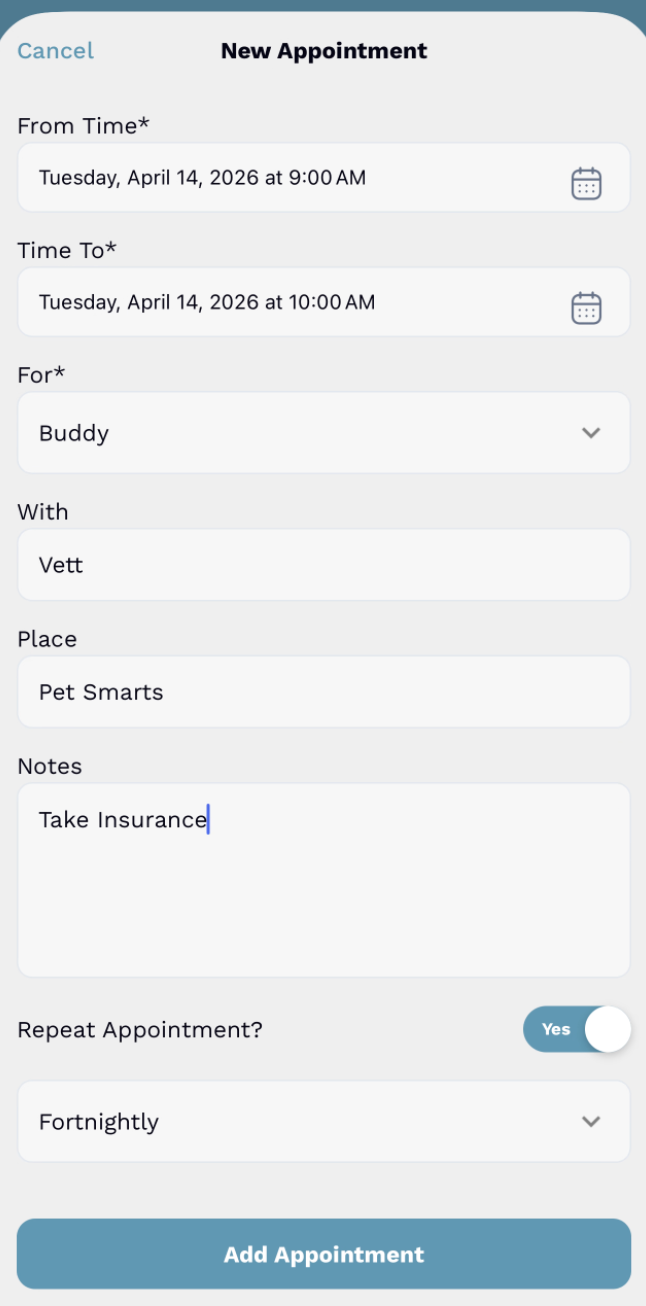
When creating an appointment, look for the "Repeat Appointment?" toggle. Once enabled, you can choose from frequencies that match how your family actually plans.
-
Weekly -
Fortnightly -
Monthly -
Yearly
How repeat appointments are shown
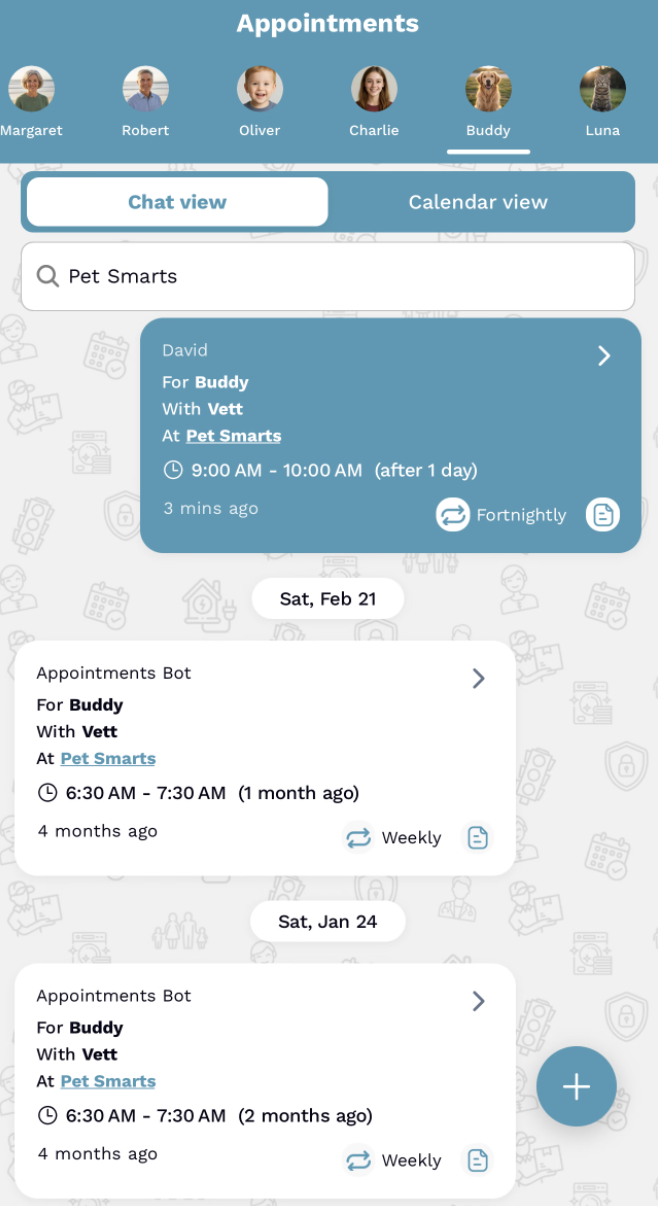
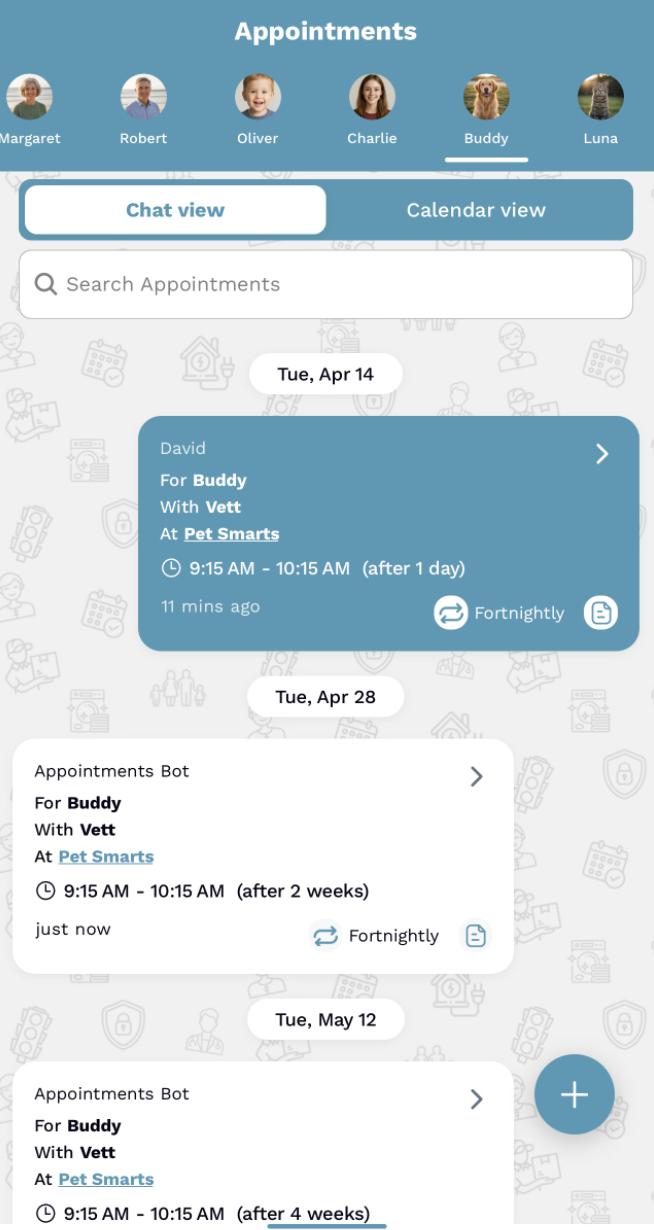
FamilyFeed treats every occurrence as its own appointment card in your timeline. That design gives you visibility without losing the connection to the repeat pattern.
You can see all upcoming dates at a glance in your feed.
You can view past history without digging through settings.
Editing a repeat appointment
When you edit a repeat appointment, you are updating the main parent appointment. Future appointments update to match, while past records stay unchanged as historical data.
Changing repeat to regular
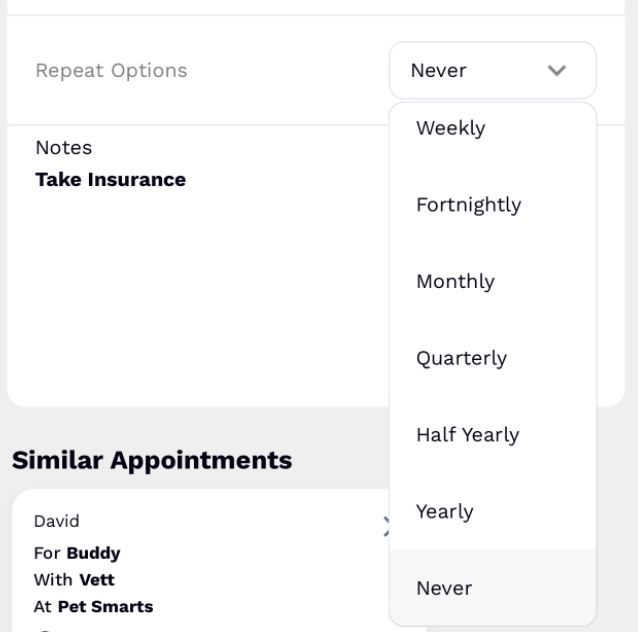
Repeat to regular
Set repeat to "Never". This stops future repetitions while keeping existing ones intact.
Regular to repeat
Enable a repeat frequency and FamilyFeed will generate future instances based on your selected pattern.
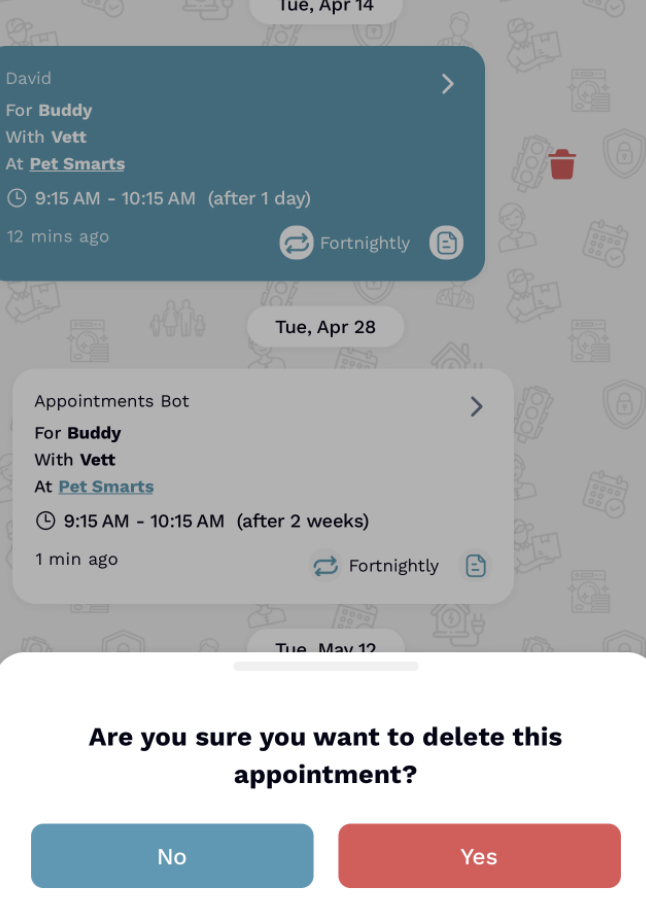
Canceling a repeat appointment
Deleting the main parent appointment removes all future repeated occurrences. It is the cleanest way to end a repeating pattern without manually removing each appointment card.
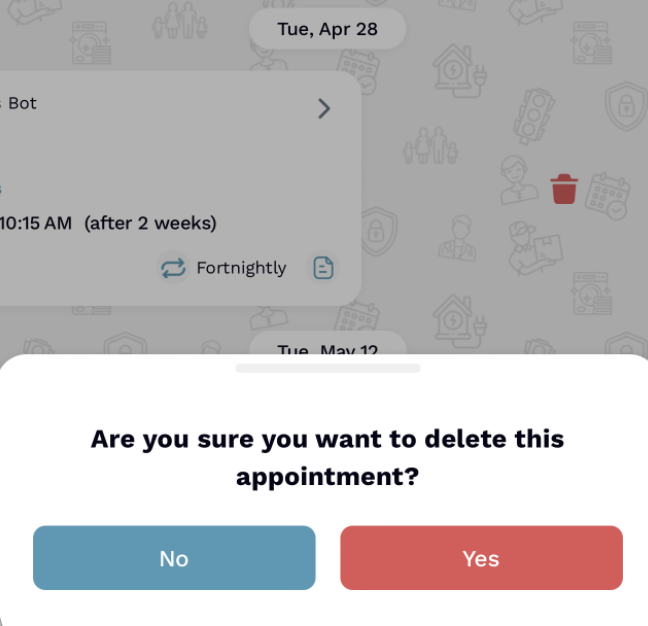
Editing or deleting a single occurrence
Deleting one appointment
This removes only that specific occurrence. The rest of the future appointments remain exactly where they are.
Editing one appointment
Changes apply only to that single instance. This works well when you need to move one date or change one location without affecting the full series.
What this means for you
Set once, reuse automatically across your timeline.
Adjust future schedules without manual data entry.
Handle exceptions and single edits without confusion.
Maintain full visibility into your family's appointment history.
Final Thoughts
Repeat appointments should reduce effort, not add complexity. FamilyFeed gives you a simple flow for creating recurring plans, changing future dates, and handling one-off exceptions without losing clarity.